

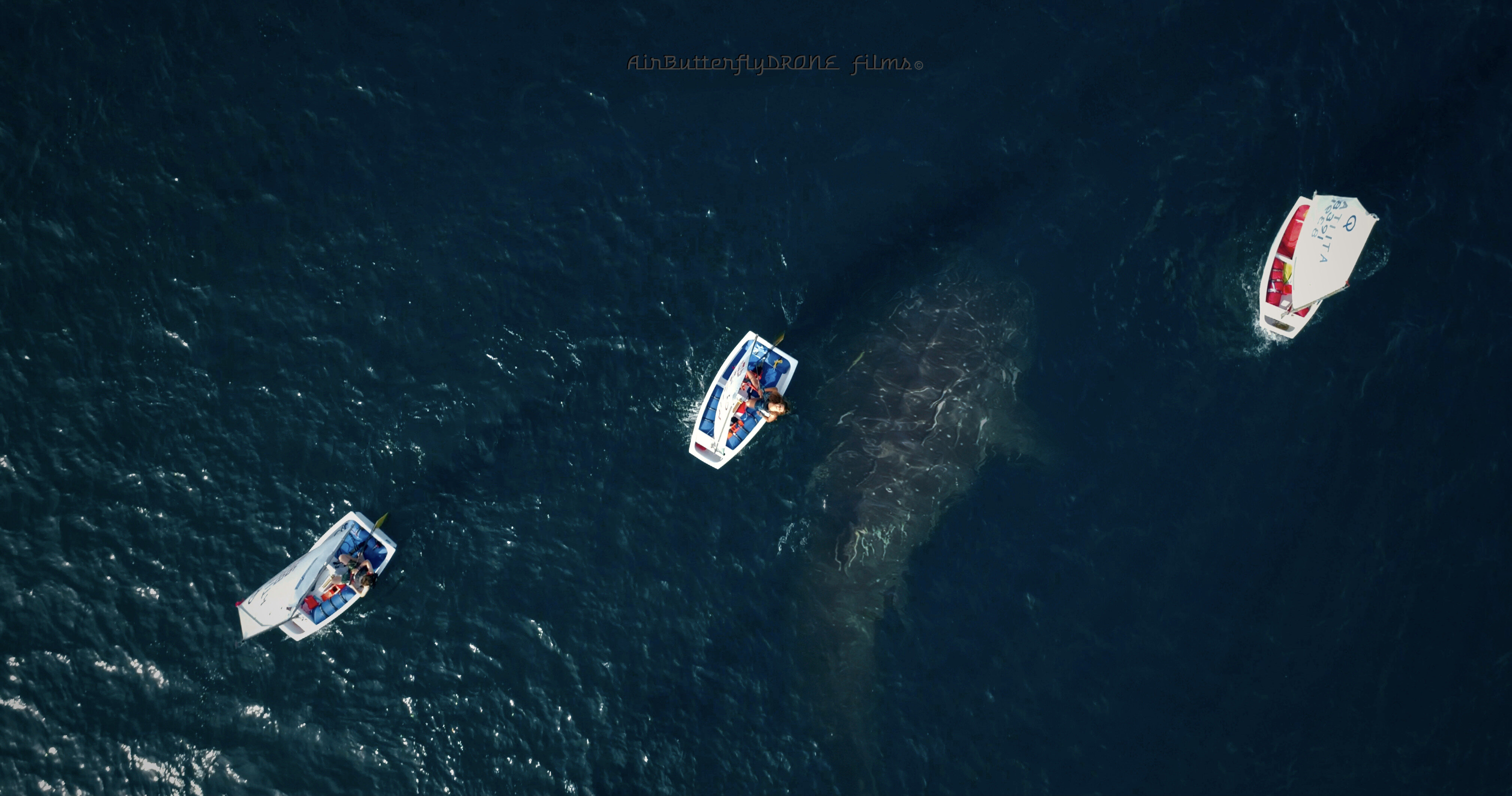
whale shark ... and the sailing school whale shark ... and the sailing school
Ever since I started flying drones, I have always found it useful to read and share my experiences with other photography and drone enthusiasts. These highly technological machines make it possible to shoot aerial footage or simply take photographs from such a spectacular point of view that we would otherwise never have been able to reach, and it is often this particularity that surprises the eyes of our friends or clients, the uniqueness of the shot or the cinematic movement made by the drone's camera. But let's go in order In this tutorial from AirButterflyDrone.com we take a look at how to make cinematic shots with a drone and a stabilized ground camera and some useful tips on the checks to make before starting to shoot. Will help us grow our channel where we often add interesting posts for drone pilots to read and comment on together
Note:
For those who want to deepen their knowledge or need help
I recommend following our FaceBook page
https://www.facebook.com/Airbutterfly where your LIKE
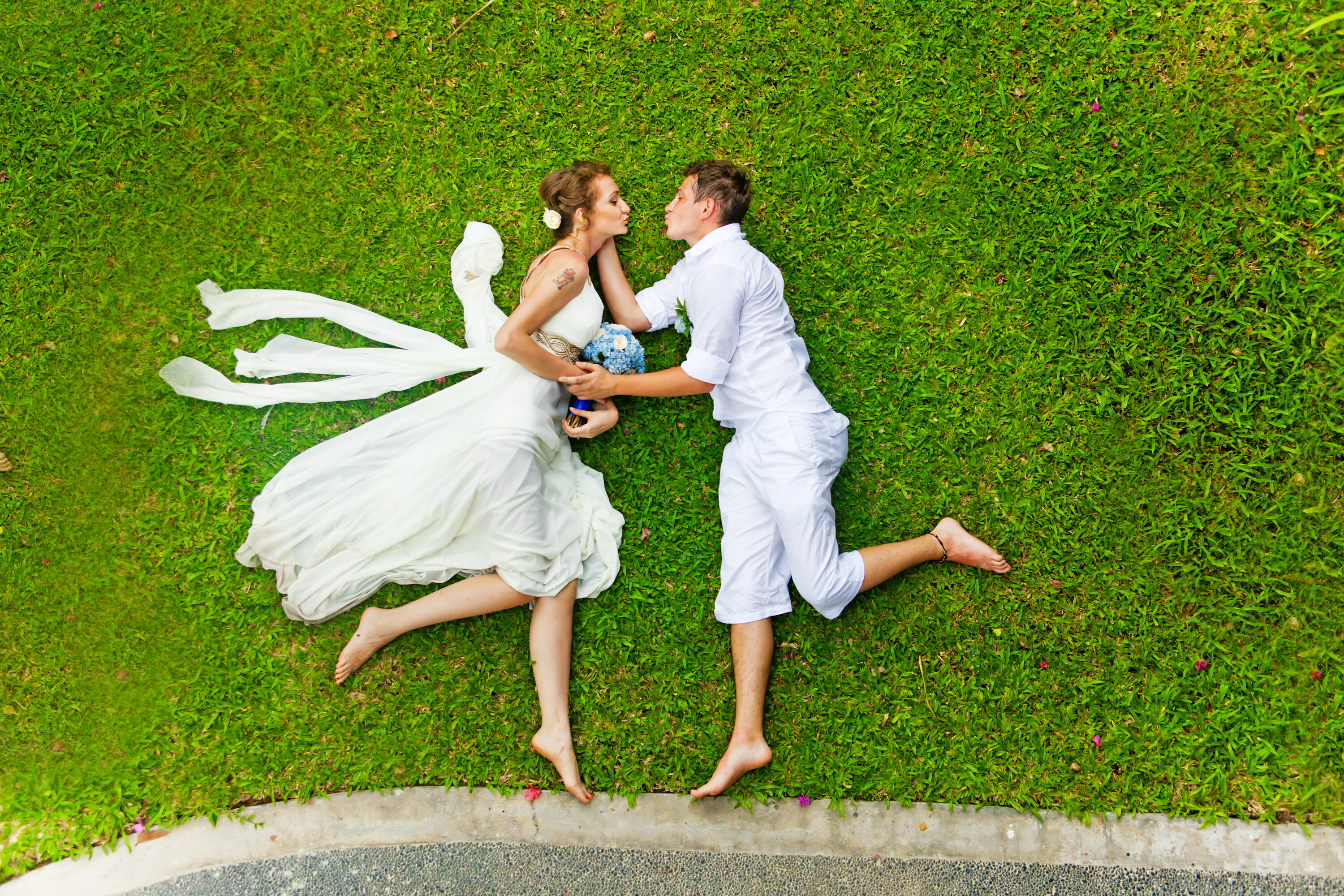
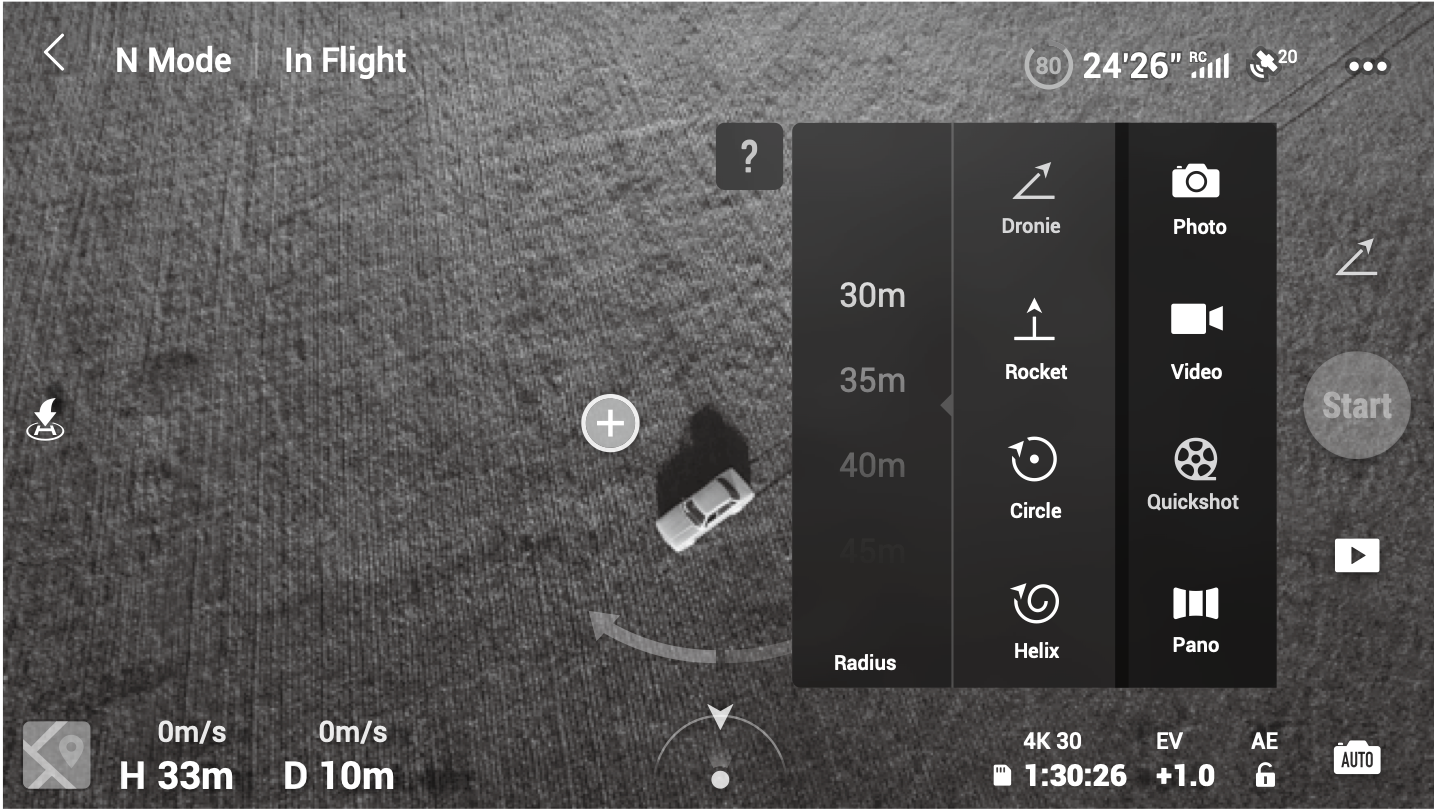
interesting example of wedding drone picture Here, in fact, we will explore the most effective techniques and what are the best times, camera settings, and also a bit of post-production. If you are shooting amateur footage, my first rule is respect people, their privacy, and the peace of others. When you use the Drone, always perform a good pre-flight and post-flight check, respect the laws, and plan your flights well before you start flying. Shooting techniques and maneuvers 1. Maneuver slowly My first recommendation to anyone about to shoot with a drone or a stabilized camera (gimbal) is to maneuver gently and harmoniously. Slow movements are more cinematic and give the viewer the impression that you are shooting from a larger platform, such as a helicopter or a dolly, etc... in short, professional and cinematic equipment. This unconsciously increases the production value and makes the footage look more controlled and professionally made. Use gradual movements and remember to accelerate and decelerate slowly; this is to avoid shaking or sudden movements of the camera. Otherwise, the result would be distorted images in the footage due to vibrations (“Jello effect”) Plan the flight in detail This allows us to make more evocative aerial shots, the subjects can be chosen and captured at their best. Knowing in advance the maneuvers to perform and the drone's path will also help you optimize your aircraft's battery life so you don't have to interrupt your work in the middle of shooting. 2. Use a two-axis movement To imitate the high-budget aerial shots seen in movies (typically performed with two axes of movement at the same time), a trick to use could be, for example: flying backward and downward at the same time, at a constant and linear speed. 3. Lateral movement By using lateral movements, we can show scenarios from different and more original perspectives than usual. In fact, drone aerial shots are often performed only forward or backward: lateral movement is a good solution to achieve highly effective cinematic shots. 4. Orbit The Orbit effect consists of rotating the drone around a subject in a circular and constant way. This is one of the most difficult shots to perform because you have to simultaneously maneuver the joystick that controls the yaw movement (vertical plane rotation) and at the same time the other joystick (forward/backward – right/left) to achieve an orbiting shot around the subject. In this maneuver, it is essential to move the yaw control slowly and steadily, or you will end up turning too fast and ruining the effect. Fortunately, drones like those from DJI offer functions that automate this type of shot, making it easier for less experienced pilots. Circle, Helix Rocket or Boomerang, Point of Interest, make the drone perform the maneuver automatically with harmonious movements, giving the possibility to create highly effective cinematic shots.
5. Filming through obstacles Flying the drone through obstacles (doors, windows, caves, bridges, trees, etc.) can create highly scenic effects, but at the same time this type of shot can be very risky because in many cases (losing sight of the drone) the only reference left is the controller screen (FPV) or a helper. So even though the drone has anti-collision sensors and an automatic return to home point system (HomePoint) this type of filming is not recommended for those who do not have advanced piloting skills and moreover it is also against aviation regulations which require line of sight flight (VLOS) (VLOS) the drone must always remain under your direct visual control Let’s keep in mind that in professional filming, a helper or co-pilot is often used, who, regardless of whether they can operate on a second remote control (transmitter + joystick) or not, is always of great help because they ensure the pilot the correct positioning and route in the area designated for flight, thus safe and obstacle-free. So, beyond the safety and regulatory factors, shots made with the drone under our visual control will certainly be better executed and smoother. the most correct way to perform these shots remains the right positioning of the operator, who can control the drone before and after passing through the obstacle, window, or wall. my advice is to plan several flights with different starting points when you need to film different scenarios, or, when possible, move along with the drone along its route ... In any case ... when filming through obstacles or very close to objects and/or people ... it can always be helpful to have propeller guards installed ... 6. Gimbal movements - movements on the drone's axis
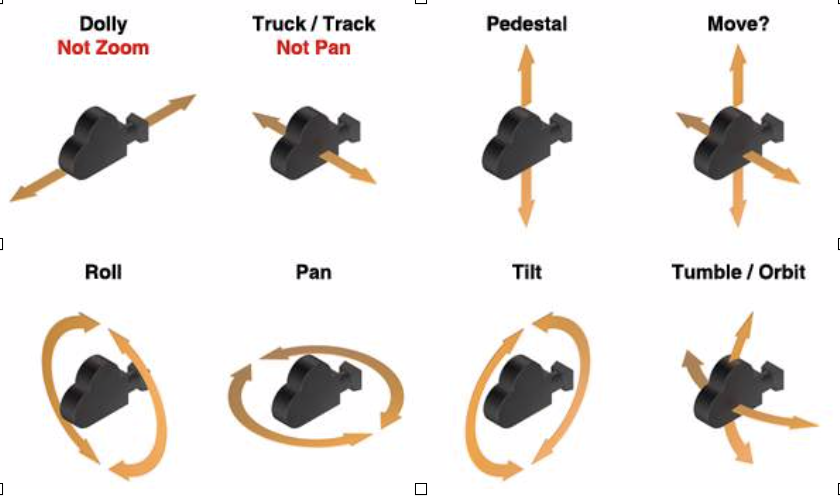




Another technique to achieve even more striking and unique shots could be using the gimbal in combination with the drone's movements. One of my favorites is moving forward and upward while tilting the gimbal, thus creating very pleasant effects. 7. Parallax Adding depth to aerial scenes by exploiting extreme parallax effects, often with trees or structures closer to the drone, can help the viewer realize the actual size of the surrounding environment.
8. Weather For a good aerial shot, keep an eye on the weather and the best times of the day. When it comes to weather, we are basically at the mercy of Mother Nature! The best photos and videos with drones are taken on clear or cloudy days, with no wind or fog. This is especially true on colder days when condensation can develop on some parts of the drone, which may freeze at altitude. However, remember to always find the right balance between creativity and attention to the weather ... for example, fog or a few clouds can help create very evocative videos ... like in the early hours of the day or in the mountains, passing through some clouds and then discovering a wonderful landscape ... 9. The wind is the worst enemy ... but not always The wind is perhaps the greatest enemy of our drone and aerial shots. The advice I can give is to avoid taking aerial shots on windy days. I generally do not fly the drone when the wind is above 10, maximum 15 knots (about 25 km/h) or if there are frequent gusts. Most drones are rated to fly in winds above 15 knots, but footage recorded in these weather conditions will probably not be satisfactory and you will only risk wasting time. Using programs like After Effects or Final Cut to stabilize images does not always give good results: personally, I have yet to see footage that has been completely restored with the stabilization function. But as mentioned ... the wind is not always our enemy let's find out how to turn the wind into our ally ... By carefully evaluating the weather conditions, wind strength and direction, and considering even more the safety of operations ... we could choose to use the wind to push our drone from one point to another ... let's say from point A to point B ... simply by disabling the GPS (ATTI MODE) 1) so in this way we will let the wind create an automatic camera movement ( let's say gimbal - track movement ) 2) While the drone is moving, we could rotate it on its vertical axis ( Yawing ) creating a second movement ( let's say gimbal pan movement ) 3) If we want, we could also control the gimbal, creating a third simultaneous movement ( let's say gimbal - tilt movement ) So the wind has somehow been our co-pilot that is, it helped us to make a complex shot that usually requires drones like dji Inspire 2 with pilot and camera operator ... where the pilot follows the movement of the drone (track) and the camera operator moves the gimbal (which on the DJI Inspire rotates 360 degrees) to perform simultaneous pan and tilt movements ... or if we deem it appropriate, we can use third-party applications that use SDKs and program a waypoint flight from point A to point B while we can control the camera movement and the rotation of the drone.
10. Dawn and sunset (golden hours) the golden hours ...
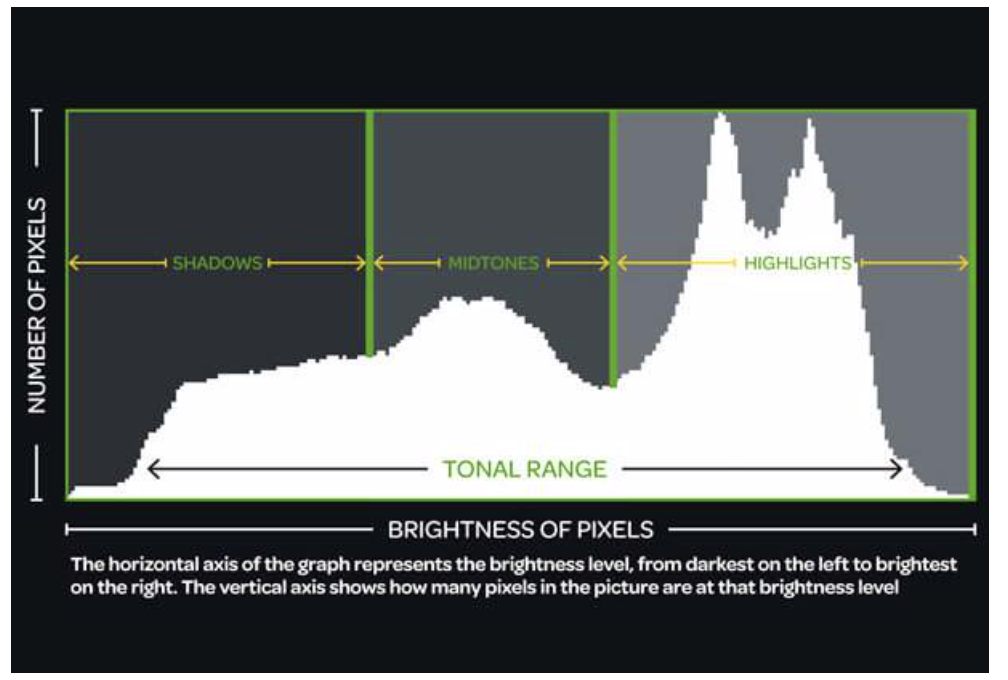
Camera settings 11. Use a neutral profile Camera settings can play an important role in the success of aerial drone footage. So make sure that the camera settings are as neutral as possible. This will allow you to shoot aerial footage while keeping natural colors and highlighting details in the less bright areas. The suggested settings for a DJI 4K or in any case the highest definition your camera allows 60fps (not to be confused with shutter speed) Color D-log (requires post-production but gives the best results) Style custom -1 ,-1, -1 The best ISO (100) or in any case keep the ISO value as low as possible in accordance with aperture and shutter speed to maintain the right exposure so the lowest value allowed by the lighting conditions In the menu - Gimbal Yaw Movement Limit -35Max Gimbal Pitch Speed -9 Extendend Gimbal tilt Limit -Yes Gimbal Pitch Smoothness - 19 12. Set the shutter speed If possible, keep the shutter speed low especially for ground shots, to avoid the stroboscopic effect. What to do if we can't set the shutter speed on our drone? If you can't set the shutter speed from the menu for video shooting... (at the moment only a few drones have this option) it is very useful, if not essential, to use ND filters. I'll try to explain them as simply as possible ND filters are nothing more than sunglasses, "if you'll allow the term", and there are various types; polarized ones can be helpful for shooting over the sea or snow. To simplify the concept, let's say that by applying a sunglass lens to the drone's camera, since it is in a lower light condition, it will automatically increase the shutter speed. On days with normal light I use an ND4 filter , in spring or in the early afternoon an ND8 filter ... in summer ND16 is highly recommended Another important note should be dedicated to the histogram (maybe it would need a whole chapter ... but to summarize a lot) example histogram correct exposure
Just like with ground cinematography, shooting at dawn and dusk can help make our footage better. In fact, during these times of day, shadows are clearly visible, helping to define the characteristics of the environment that are not as evident in the afternoon.
3 different types of example
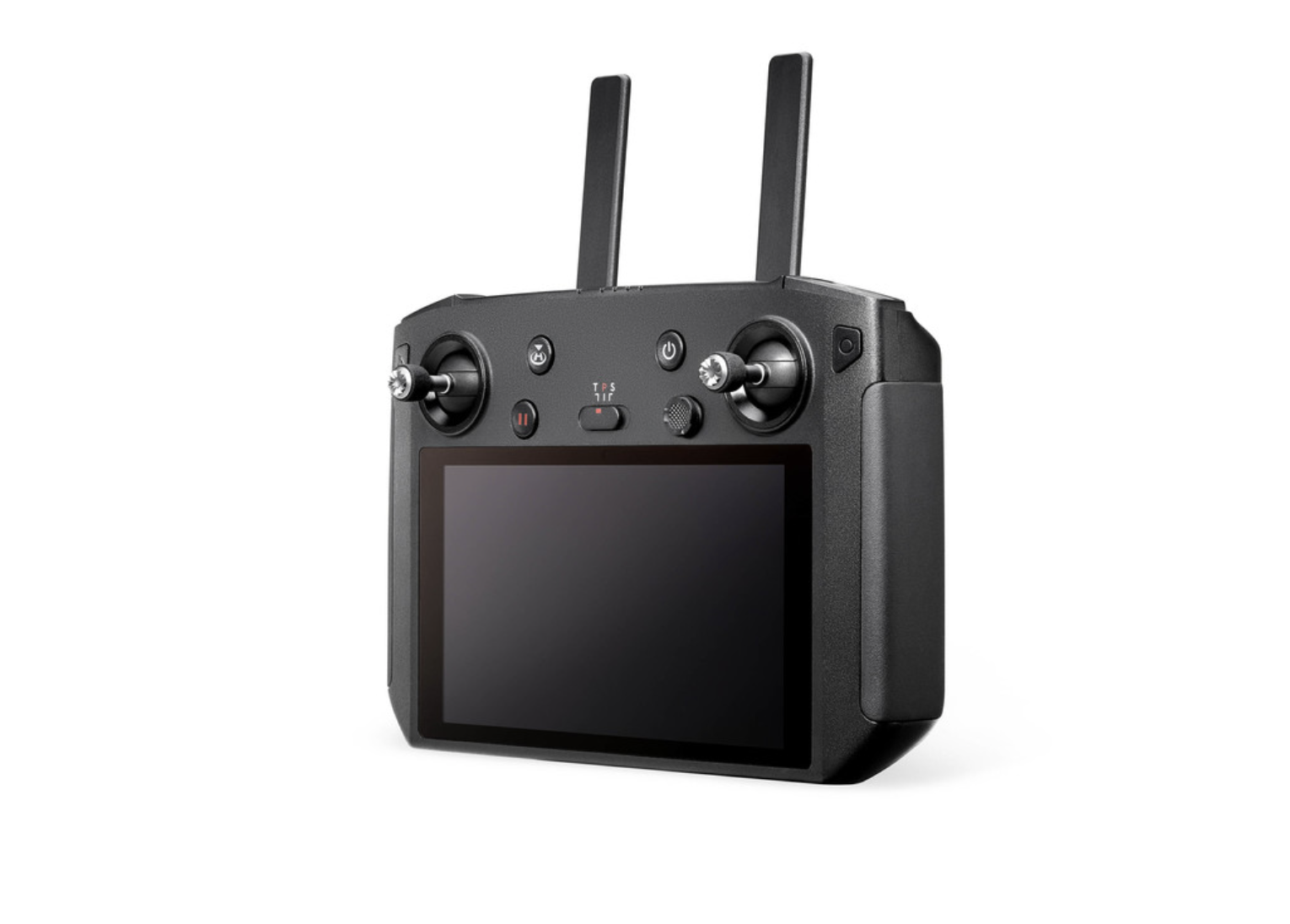
In DJI Drones, as in many cameras, it is possible to display the histogram on the screen of our remote control.
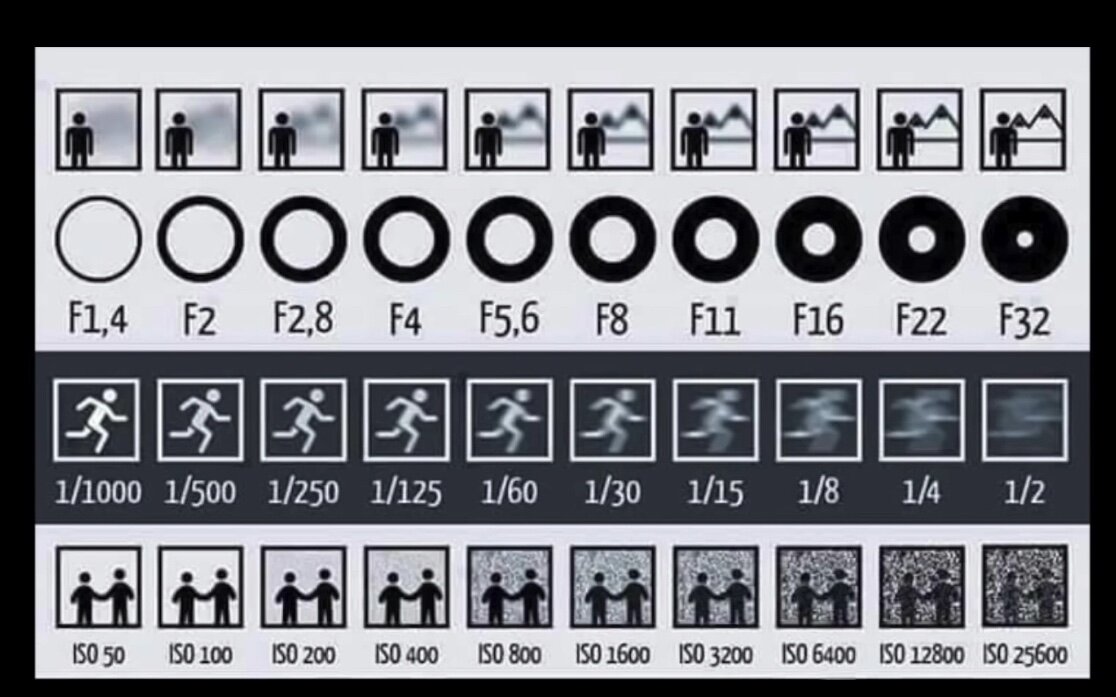
In DJI drones, as in many cameras, it is possible to view the histogram on the display of our remote controller. In drones and generally in aerial photography, the image is viewed through a remote device ... (monitor, tablet display or phone connected to the remote controller) (DRONE - REMOTE CONTROLLER) and therefore reading the histogram becomes fundamental. This is because, if with the camera we can see the image directly through the viewfinder or the camera screen in real time or in any case with the naked eye we can see how the scene appears ... with drones this is often not possible ... The only way is to see the image transmitted from the drone to the display (tablet/phone) connected to the remote controller, which, although transmitted in real time and in HD, can still be affected by multiple factors, such as the quality of the signal transmission, the different display settings, and the lighting conditions on the ground ... this leads to differences between the drone camera settings and the display, so all this makes it mandatory to read the histogram, which will give us exactly the real values of the light passing through the camera sensor regardless of the display. Through this reading, we will be sure to have set the right values and that the image is taken as we want it. Given its importance, for those who need it, I recommend studying it ... all in all it is very simple to understand and moreover the study of the histogram is just as useful as all the words spent so far in this tutorial of mine ISO, SHUTTER SPEED, APERTURE, HISTOGRAM
For these 4 topics ISO, SHUTTER SPEED, APERTURE, HISTOGRAM let me know...if you need another guide Post production (some notes)
Let's look at some post-production techniques that I use in Final Cut to improve my footage... but that will certainly work well for most video editing programs... 13. Post production The post-production work in some cases can become essential to improve our video footage, regardless of whether you use expensive video editing programs or simpler programs that can even be managed from your smartphone/tablet... my advice is to watch some good tutorials dedicated to your editing program (you can find plenty on YouTube for example) to improve your skills... so at least know how to use transitions, add a soundtrack (music) and maybe titles... That said... and I believe that if you are reading up to here... you already have some basics or at least a strong desire to learn... let's move on with what are my general tips before starting a video project, we should immediately decide in what format we want to save it... Especially for what use...

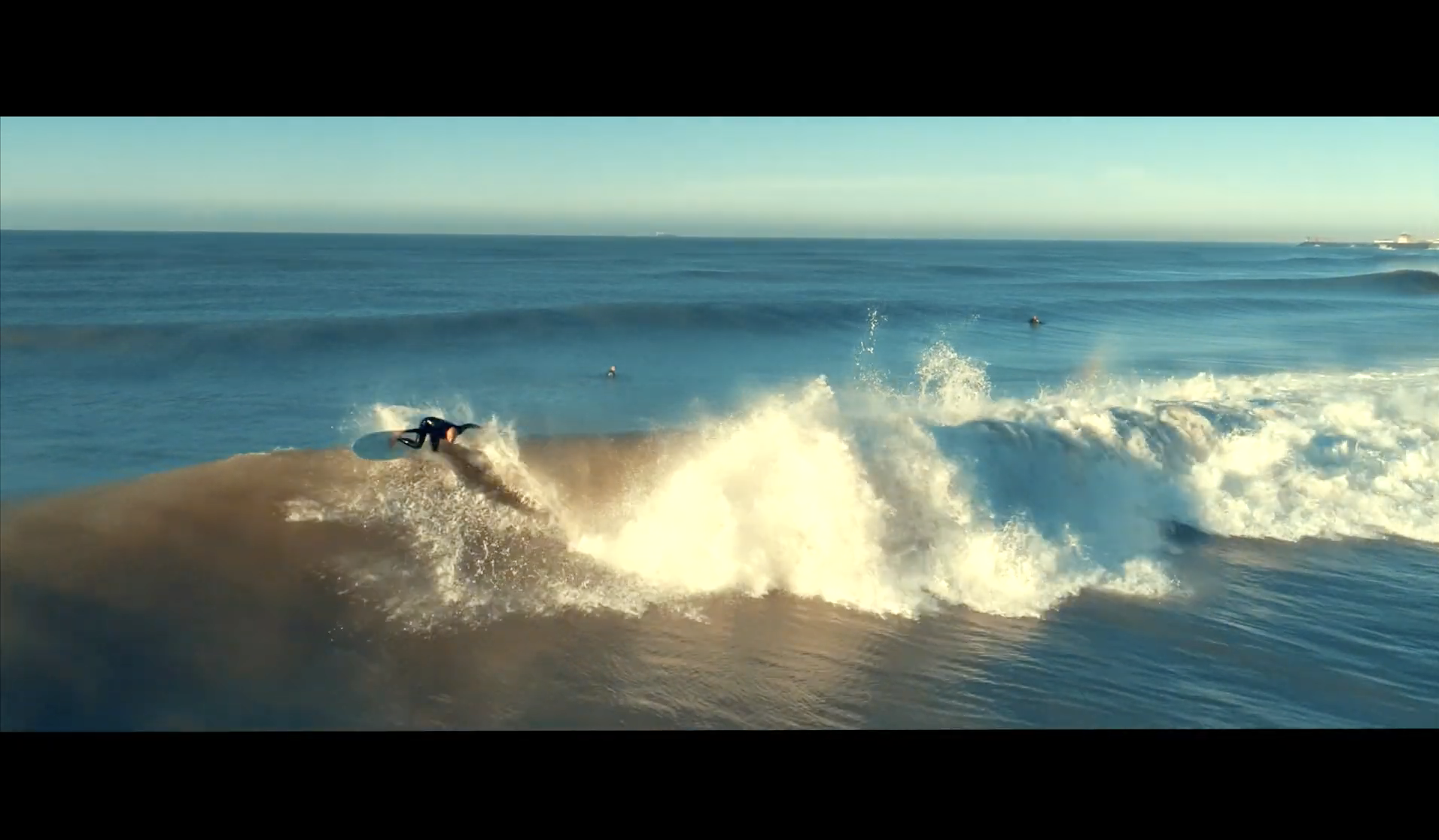
Sometimes the best 4K UHD resolution turns out to be too heavy to handle if you don't have the necessary resources and suitable equipment, such as a graphics card and a good processor. To be clear, when the edited video will only be used to upload to social media like Facebook or YouTube or maybe Instagram... much better a full HD - 1800p... However, it must also be said that when you have the possibility to record at maximum power... there will certainly be benefits... for example, when the original video is shot in 4K / 60fps and then converted to Full HD 1800p the higher quality of the acquired image could help us a lot, for example when we need to adjust the framing, making cuts and thus having a better final composition. (following the rule of thirds and photographic composition) Another element in our favor that helps us is being able to add, if necessary, a camera movement that was not possible to perform during recording... Let me explain better With modern video editing programs, it is possible to crop the video image (zoom in and out) and for example bring the subject to the center of the frame or maybe place the horizon at 3/4... In the same way... by adding black bars above and below (using the letterbox function)
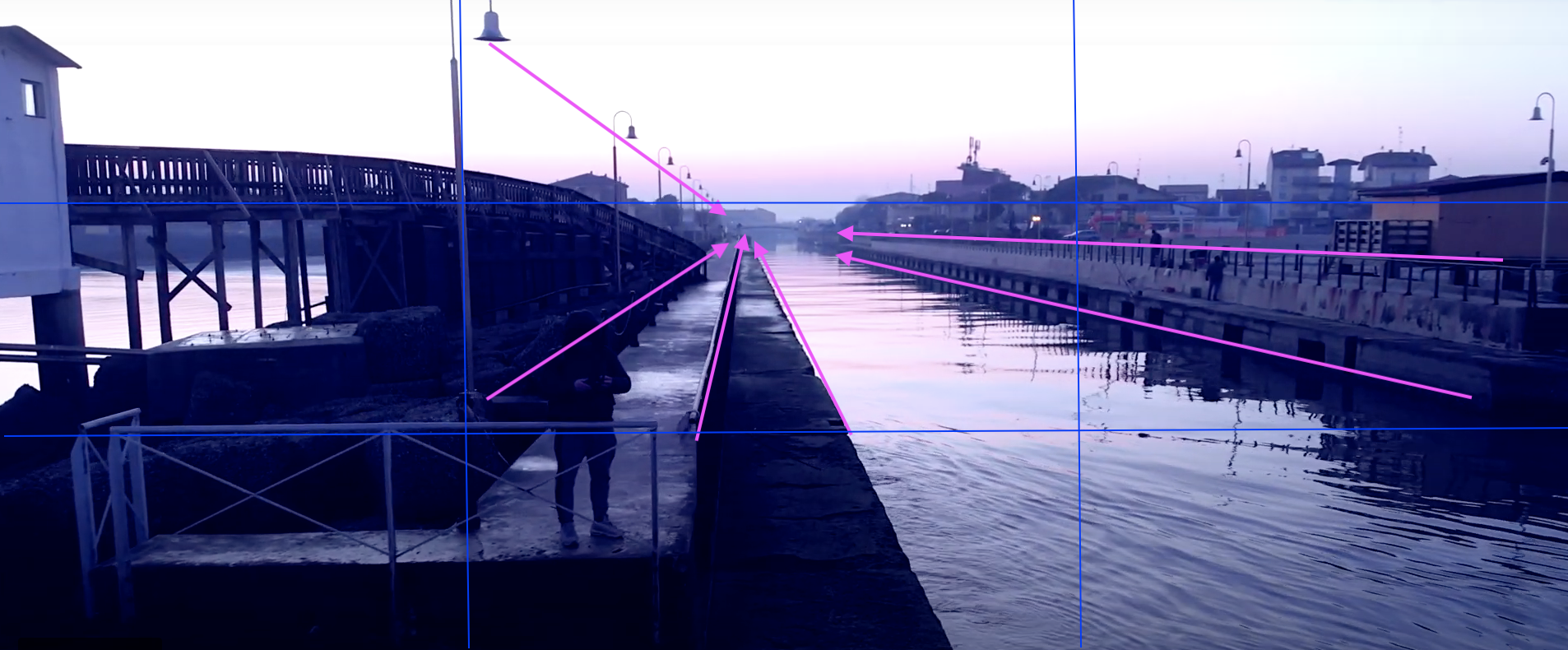
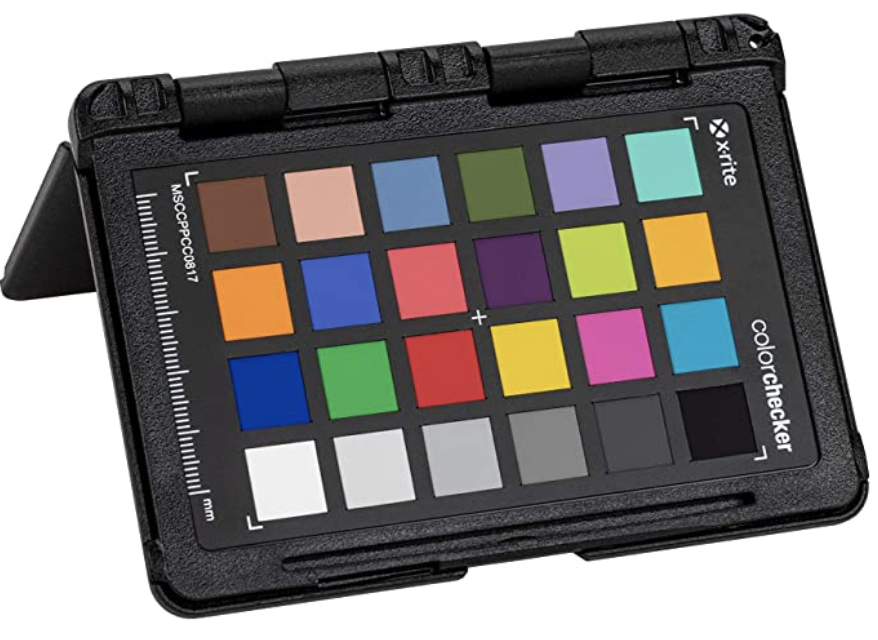
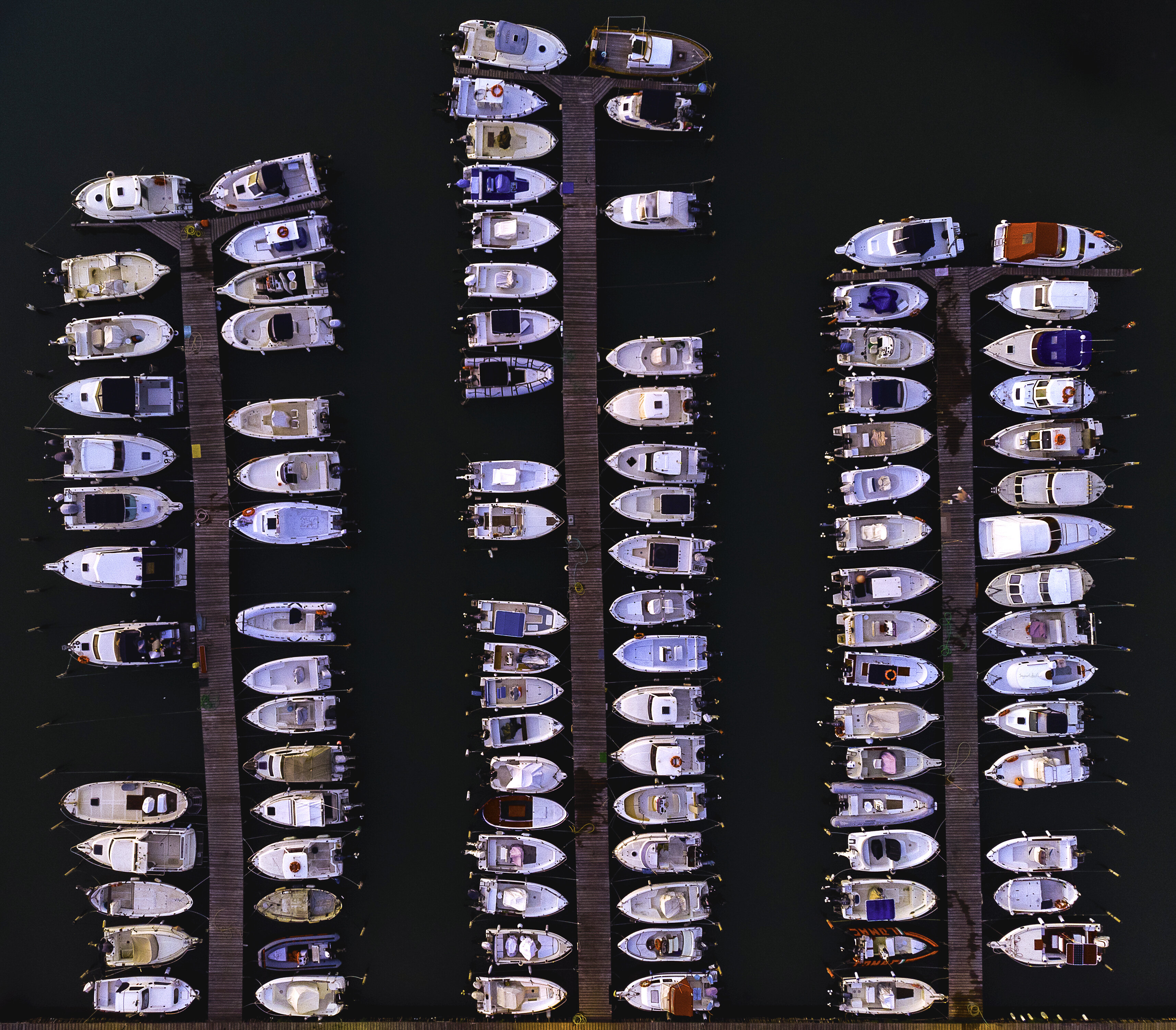
we can record at the beginning of the shooting done in d-log this color chart which will first of all allow us to make a correct adjustment of whites and tones ... but especially in post-production, through programs like DaVinciResolve, which has a dedicated function, it will allow us to better align and homogenize the footage taken from different cameras, making them much more similar, starting in fact from an identical color base obtained from the same starting frame of the ColorChecker color chart. 2nd TIP Don't forget the AUDIO EFFECTS ... And I'm not just referring to an appropriate SoundTrack ... (soundtrack) but to those sounds that reproduce the background noise of a stream, when you pass near a watercourse ... very suitable for an aerial video shot with a drone, it could be the whistle of the wind for panoramic shots of a mountain or traffic when you frame a road In short, all those noises that make your video more immersive and help to better engage those who will watch it 16. produce your Checklist Another tip is to study your drone, your camera thoroughly ... Read the manual and the various guides, practice and do tests when it is necessary to check or better understand some step. Create your own pre-flight and post-flight checklist A checklist with 10 ... 15 points that contain at least these simple steps: battery status, general condition of the drone, propellers, gimbal, remaining sd-card capacity, flight area, takeoff and landing point, weather, possible geomagnetic interferences, personnel involved, privacy. This will guarantee you greater safety when you are shooting and consequently greater control of the drone and the quality of the footage. Plan well where, when and why to shoot by optimizing battery time and image quality. Framing angle, sun position, shadows, light, composition, camera movement. tip: when planning your shots, consider the different framing possibilities remember to add to the usual forward and backward movements ... very impressive top-down shots
introductory overviews to immediately describe the scene
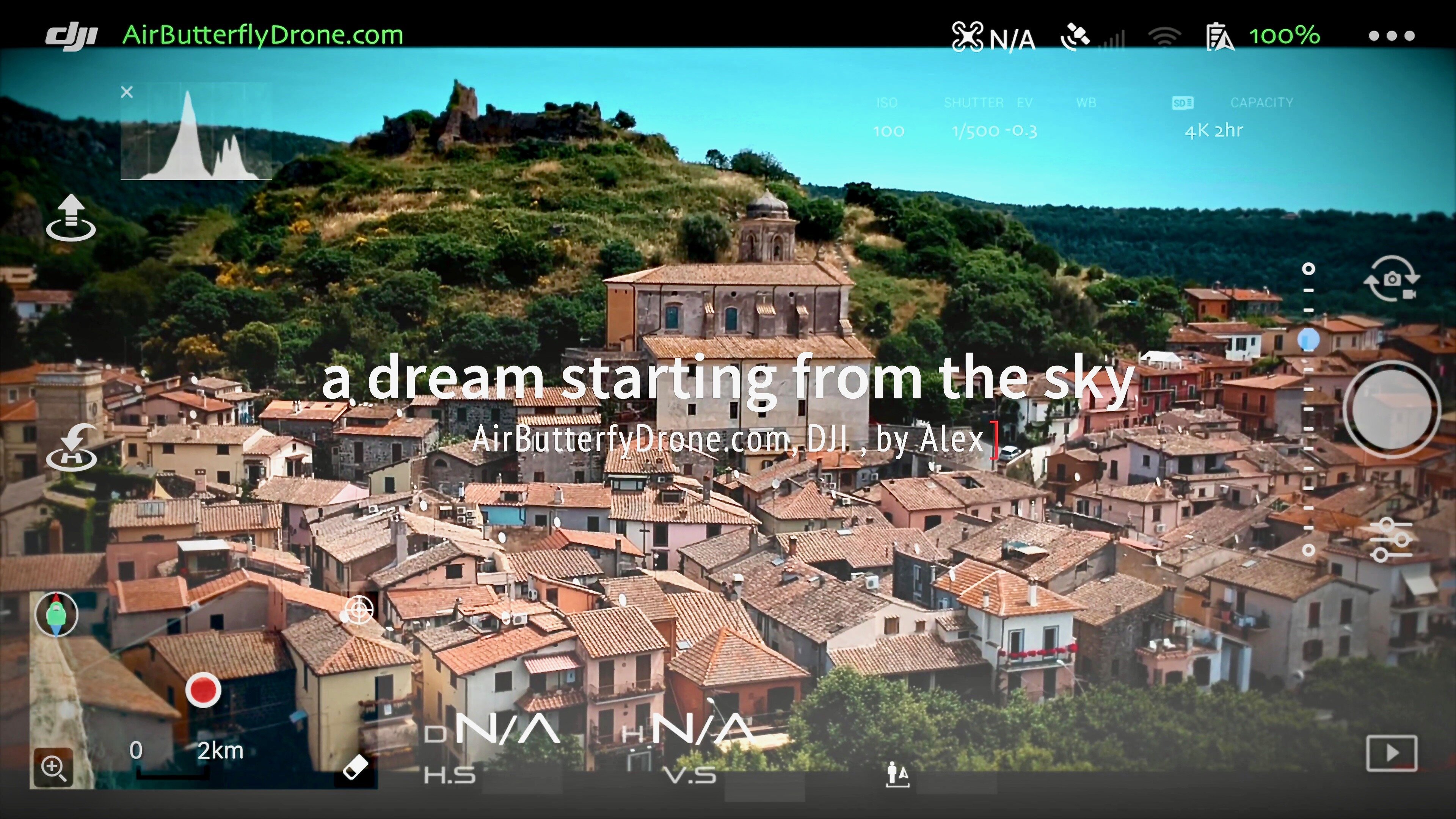
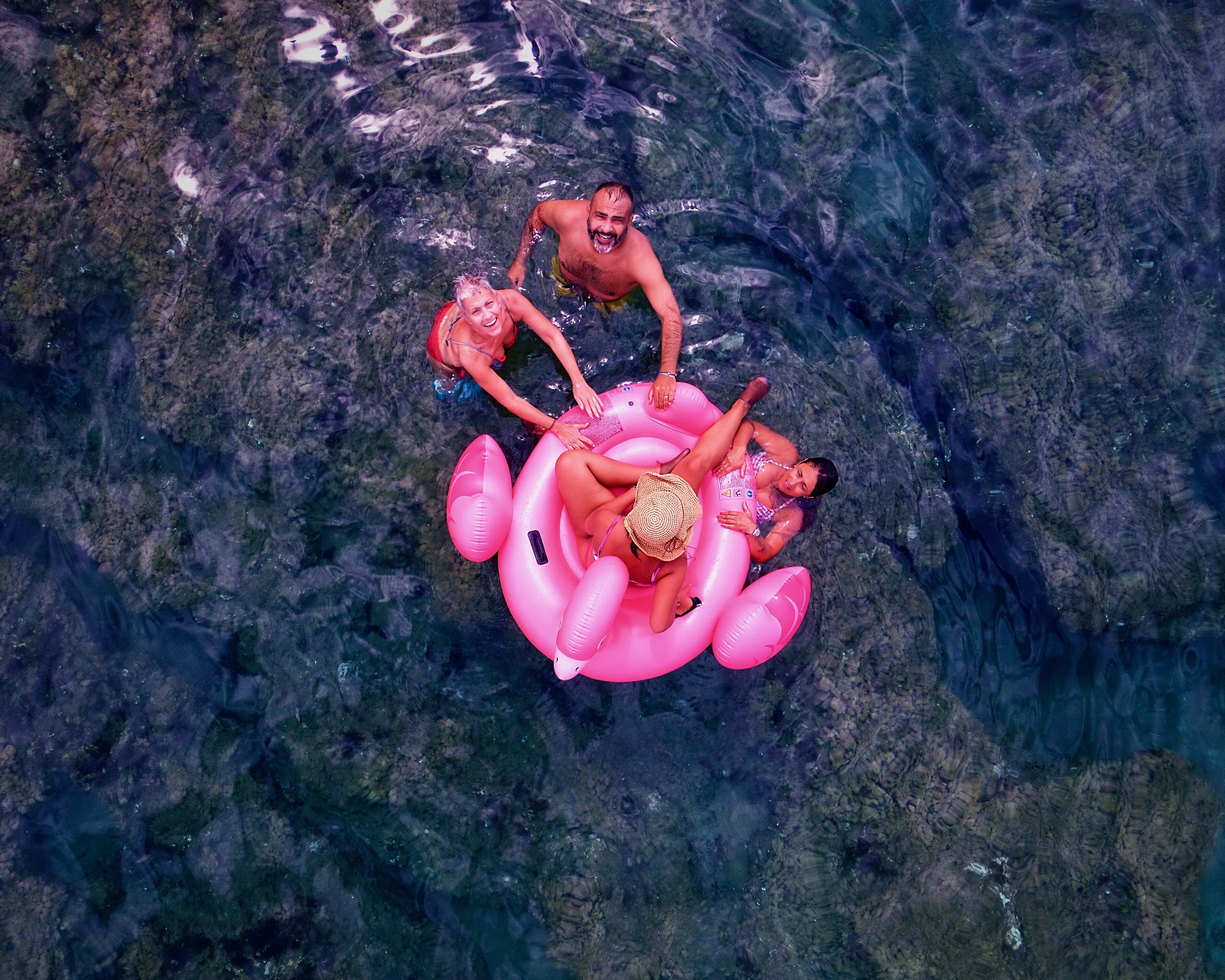
closer shots but with an unusual point of view
Sometimes an inspection is necessary to identify obstacles or possible interferences, such as power pylons, radio antennas or power lines, small branches sticking out. always consult the d-flight.it website to check airspace rules . fly with aeronautical awareness By following these tips, your aerial shots with drones will gain that extra touch of professionalism and will help you make your masterpieces special and unique. I hope to read your comments soon ... If you liked the guide, share it with your friends and feel free to contact me if you need to better understand some points Happy flying to everyone if you liked this Mini Tutorial Support the social channel ... it won't cost you anything and... your subscription will be greatly appreciated ... as will your LIKES or follow us on our FaceBook page https://www.facebook.com/Airbutterfly
info@airbutterflydrone.com